Part Delta: Catch every change between two revisions
Encube
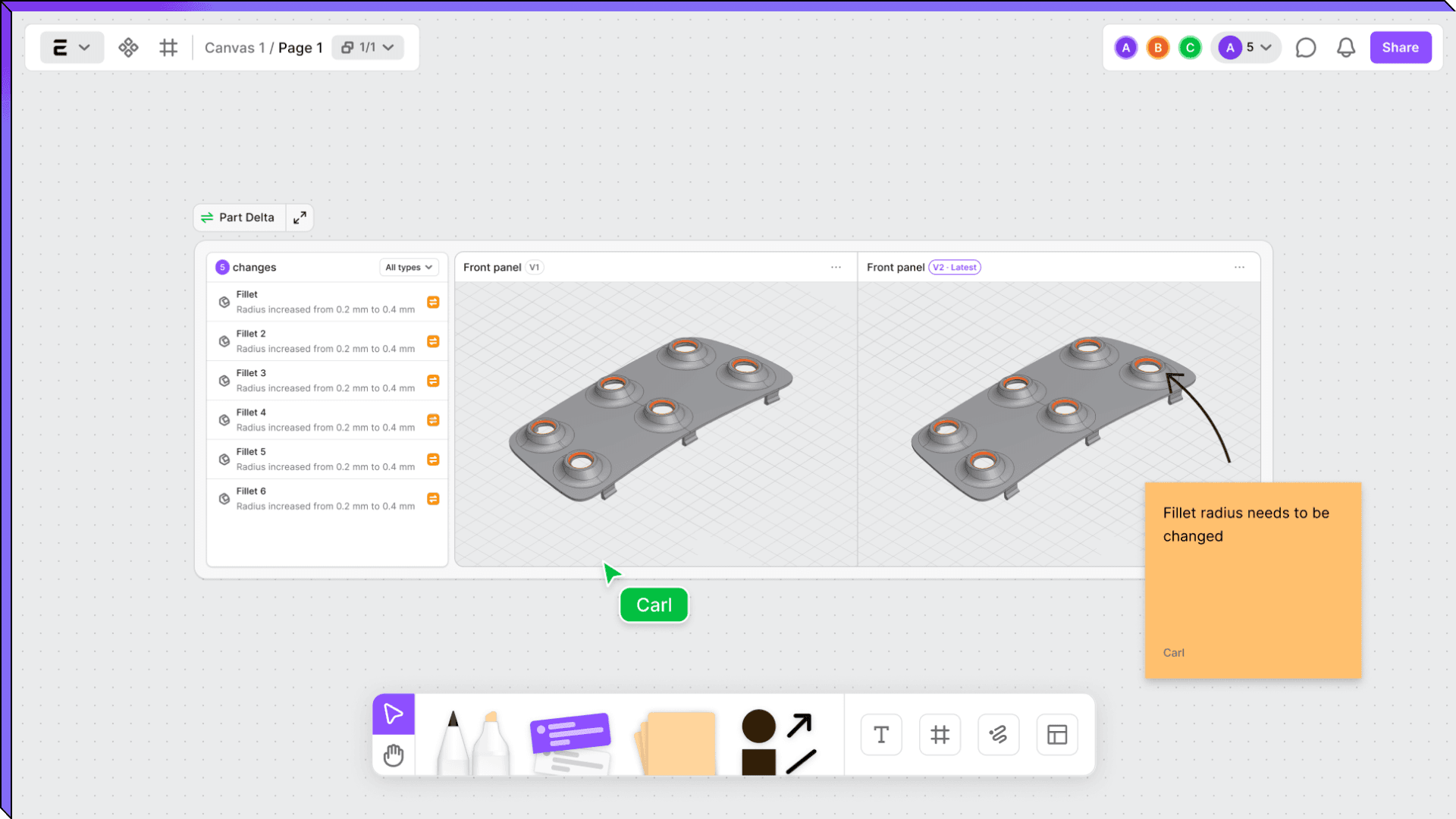
The work before the decision
In almost any design review, the first stretch of the meeting rarely reaches the decision. It goes to working out what changed since last time, with the two revisions side by side while the room agrees on, out loud, which faces moved. By the time the conversation reaches what actually matters, whether the change can be made and what it costs, the best of everyone's attention has gone to finding what changed.
Where small changes hide
Big changes show up at a glance, but small ones are harder. A half-millimetre move on one fillet, on a part with sixty faces, doesn't carry visually, and no side-by-side view will catch it. That change lives in the geometry, in the numbers under the model where it has to be read. When it slips past it stops being small, because that half millimetre becomes a tap bottoming out where it shouldn't or a supplier quote that stays wrong until it surfaces three weeks on. The only guard against that is to go back over the faces by hand, which is slow and even then never quite proves nothing moved.
The goal was to make that comparison fast, so it stops getting in the way and gives engineers their time back for the decisions that need them. That is what Part Delta does. The two versions go on the canvas and the changes come back ready to read, each one lighting up on the model when you click it. The review opens straight onto the conversation that was always the point. The manufacturing engineer goes right to whether the new tolerance can be held, and purchasing sees the cost-relevant change while it is still cheap to act on. What you are left with is the judgement, which was the part that needed you all along.
If you want to point it at your own parts, book a demo with us.